www.delorie.com/pcb/   search  
gEDA/PCB Stuff

This page exists so that I can post random notes, ideas, and other pages related to the open source PCB layout editor and gEDA schematic capture programs.

Projects

Plug-Ins for PCB

Other PCB Stuff

Tips and Techniques

HID


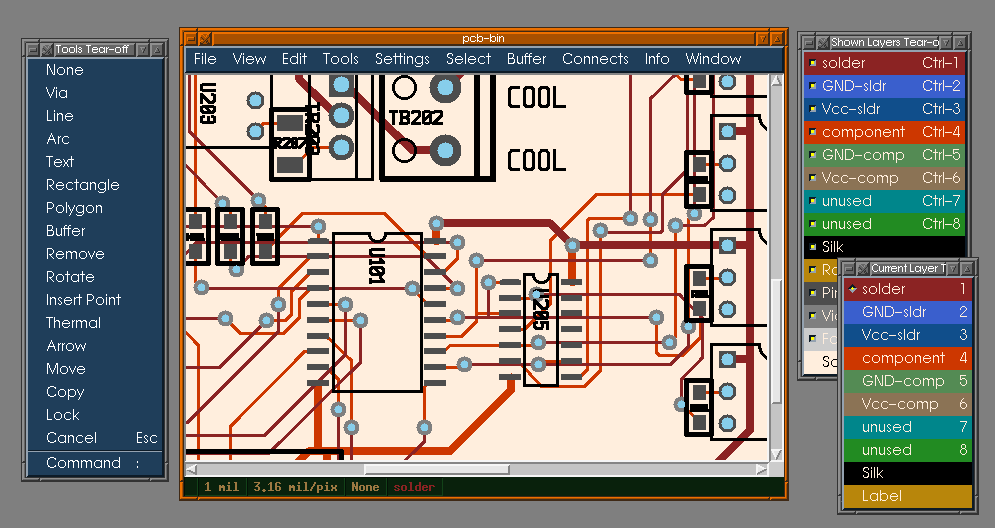
Lesstif HID Sample
What is the HID project? HID stands for Human Interface Device. The idea is to split the PCB sources into the "core" which manages the data structures for the board itself, and the "hids", which includes all GUI, printing, and exporting code. This way, the core doesn't need to know anything about the GUI, for example. There are two primary purposes for doing this: first, it allows us to support multiple GUIs in the same source set, and second, it makes developing new core or gui functionality much easier (for example, the core always uses board coordinates, whereas before, board and GUI coordinates were mixed together).

Goodies

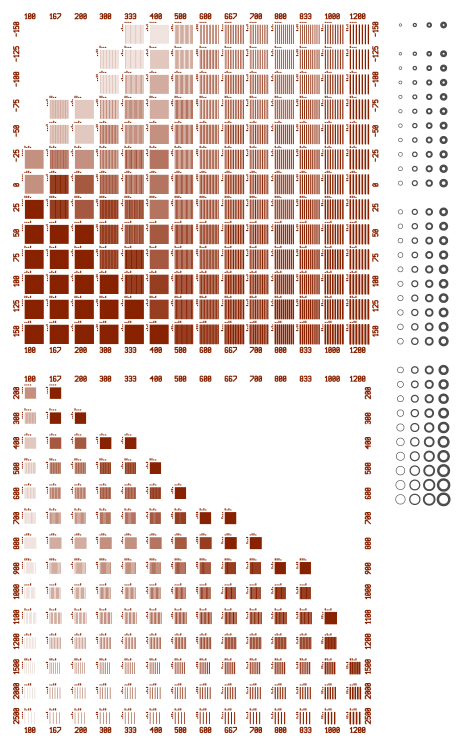
The new PS exporter supports a "bloat" setting where you can compensate for any inaccuracies in the thickness of traces and pads, either because of your printer or your etching process. Positive bloat values make traces and pads slightly thicker, negative values make them slightly thinner. You can download a sample circuit board (looks like this, also gerber and pdf) that has traces of various widths and spacings to help you calibrate your process. Simply print and etch the sample board, and inspect it. The top half has line/space patterns with various bloat settings (-150..150), just find the row that is actually correct (line width same as space width), and use that bloat setting. The bottom half shows different trace widths on various grids so you can judge how well your process handles tiny details. There's also a set of pins for drill sizes 50..80 with 5, 10, 15, and 20 mil annuli.

There's an EPS exporter now, that can be used to create illustrations for documentation, and for converting board layers (manually) to other bitmap formats with ghostview.

The new Postscript exporter emits a single file with multiple pages in it, and supports both fill-page and color options. Samples:

CVS

I'm rsyncing the developer CVS from sourceforge to my local machine to provide read-only anonymous CVS access, as a backup in case sourceforge has "issues" with CVS. Instructions:

95/NT	set    CVSROOT=:pserver:anonymous@cvs.delorie.com:/cvs/pcb
bash	export CVSROOT=:pserver:anonymous@cvs.delorie.com:/cvs/pcb
csh	setenv CVSROOT :pserver:anonymous@cvs.delorie.com:/cvs/pcb
bash$ cvs login
(Logging in to anonymous@cvs.delorie.com)
CVS password: anonymous

Note: Windows users may need to make sure the HOME environment variable is set to something meaningful.

After this, you shouldn't have to worry about passwords any more, as it will store your password in $HOME/.cvspass (semi-encoded). In other words, don't type "cvs login" again.

To get the PCB sources, do this:

bash$ cvs get pcb
This will create a subdirectory called "pcb" with the latest (at least, no older than an hour) sources. Likewise, to get the web pages, do this:
bash$ cvs get htdocs

  webmaster   donations   bookstore     delorie software   privacy  
  Copyright © 2008   by DJ Delorie     Updated Jul 4 2008  

Please take a moment to fill out this visitor survey
You can help support this site by visiting the advertisers that sponsor it! (only once each, though)